 App Charts





What's New
Version 14.0.9
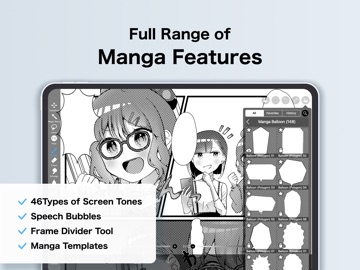
1 week agoThank you for using ibisPaint X! The summary of this update is as follows. [Improvements, Changes] - Changed advertisements' processing. [New Features in ver. 14.0.8] - Added a feature to protect artworks using Yuify. [New Features in ver. 14.0.6] - You can now install brushes from the install button on ibispaint.com brush pattern artwork pages, even when the page is opened in an external browser. [New Features in ver. 14.0.0] - You can now create and name multiple color palettes for easier management. - Added a feature to share color palettes via QR code. - Brushes in the "Basic" tab of the Brush window are now organized by category. - Added support for selecting CMYK colors when saving artwork as a JPEG or flattened layer PSD file. - Added support for selecting grayscale (8bit) color space when saving artwork as a PNG or JPEG file. - Added support for selecting binary (1bit) color space when saving artwork as an opaque PNG file. - Added "Speech Bubble" to the Shape tool. - Added "Thin Arrow" to the Shape tool. - You can now adjust the position, shape, and other properties of a shape before finalizing it in the Shape tool. - Added an "Anti-aliasing" option available when "Fill" is enabled in the Shape Tool. When turned on, it smooths the edges of the filled area. - Added "Draw Line by Brush" to the Shape tool settings. - Added new special pens: “Parallel Gradation Pen” and “Concentric Gradation Pen”. - Added knobs to move the start and end points of the gradation in “Parallel Gradation” and "Concentric Gradation". - Added "Transparent-Current Color" to preset of gradation slider. - Added new parameter “Extension Method” to “Parallel Gradation” and "Concentric Gradation”. - For iPad, added the floating view of the Color window. - Added a graph to the "Dynamic" tab of each brush setting to customize the response of size and opacity to pen pressure. - Added a Brush Lock feature. You can access it via the lock icon located in the top-right corner of each brush's se